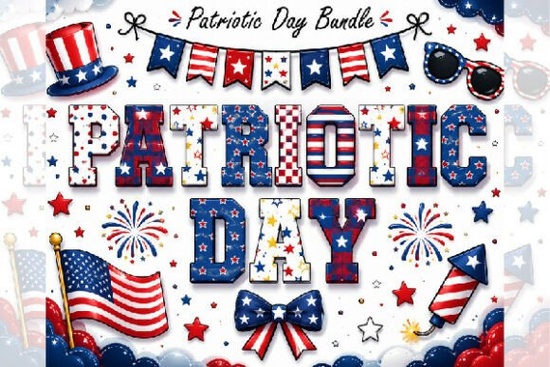
If you're looking for a bold, sporty, and unmistakably American font for your 4th of July designs, the Patriotic Day Font is a straightforward choice especially if you work with t-shirts, sublimation blanks, stickers, or social media graphics. It’s not just another red-white-and-blue typeface; it’s built from the visual language of varsity lettering, college jerseys, and vintage Americana, so it feels authentic rather than themed.
What makes this font different from other patriotic fonts?
Most patriotic fonts lean heavily on stars, stripes, or script flourishes but the Patriotic Day Font stands out by borrowing structure and energy from real-world athletic lettering. Each uppercase letter has strong outlines, subtle shading, and intentional spacing that mimics hand-painted jersey numbers. Lowercase letters are intentionally minimal (designed to pair cleanly with caps), keeping focus on impact over decoration.
It also comes as a fully colored font not just outlines or layer-based SVGs. That means when you type “USA” in Adobe Illustrator or Canva, the red, white, and blue appear instantly, no manual coloring needed. Just keep in mind: the preview on Creative Fabrica shows it in grayscale due to system limits, but it displays in full color in supported apps like Photoshop, Figma, and Illustrator.
Where does it work best?
This isn’t a one-size-fits-all decorative font. It shines where clarity, energy, and context matter:
- T-shirts and tank tops especially for family reunions, parade merch, or backyard BBQ vendors
- Sublimation projects works well on mugs, tote bags, and youth-sized apparel because the bold weight holds up at smaller sizes
- Digital planners and printable wall art the clean shapes scale nicely in PDFs and Canva templates
- Social media banners and Instagram story highlights pairs naturally with photos of fireworks, flags, or picnic spreads
- Stickers and vinyl decals the solid fills cut cleanly on Cricut and Silhouette machines
How do you use the colors correctly?
The font uses OpenType color features, which means the red, white, and blue are embedded directly in the font file not layered shapes or swatches. To see the colors live:
- Install the font on your computer (as you would any .OTF or .TTF)
- Open it in a compatible program: Patriotic Day Font, Adobe Illustrator (CC 2019+), Photoshop (2020+), Figma (with plugin), or Canva (via uploaded font)
- Type your text and select the font colors appear automatically
If you’re using older software or tools without color font support (like basic Cricut Design Space), you’ll need to convert the text to outlines first, then recolor manually. For most crafters and small business owners, though, modern design tools handle it natively.
Who’s it really for?
This font fits well if you’re:
- A print-on-demand seller building a seasonal 4th of July collection (think matching family sets or pet bandanas)
- A church or community group designing parade flyers or concession stand signs
- A planner creator adding themed weekly headers or holiday trackers
- A small-batch sticker maker who wants consistent, recognizable branding across patriotic releases
- A hobbyist making custom shirts for a softball team or neighborhood block party
It’s less ideal for formal invitations, long paragraphs, or minimalist logos those call for cleaner sans-serifs or elegant scripts. But for spirited, immediate visual impact? It delivers without extra effort.
One helpful detail: if you like how this looks but want more variety in your patriotic toolkit, the colorful fonts collection includes coordinated options like star-dotted borders, flag-patterned dingbats, and matching number sets that pair naturally with the Patriotic Day Font.
Before downloading, double-check your software compatibility and remember: it’s designed to be used as a font, not as individual vector files. That keeps your workflow simple, whether you’re cranking out ten designs or one special keepsake.
Quick checklist before you start designing:
- ✅ Confirm your design app supports OpenType-SVG or COLR fonts
- ✅ Install the font file (not just open the preview)
- ✅ Test a short phrase (“USA”, “July 4”, “Fireworks”) at different sizes
- ✅ For sublimation or cutting machines, do a test print/cut on scrap material first
- ✅ Save a version with outlined text if sharing files with clients or printers
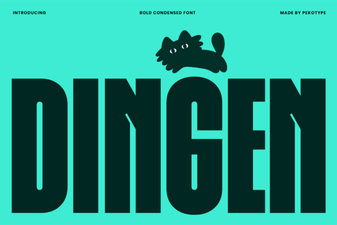 Dingen Font: Creative & Versatile Design Tool
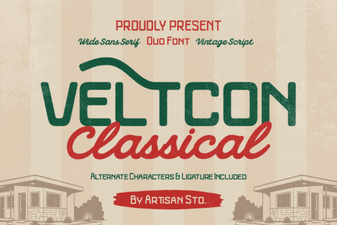 Veltcon Font: Bold & Versatile Design Inspiration
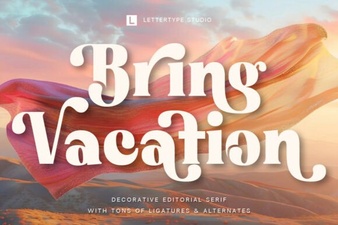 Bring Vacation Font: Creative Design Ideas
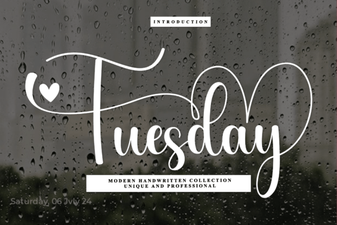 Tuesday Font: Clean, Creative Typography for Design Projects
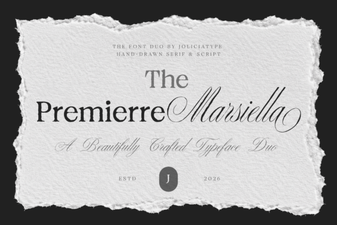 Premierre Marsiella: Elegant Font for Creative Projects
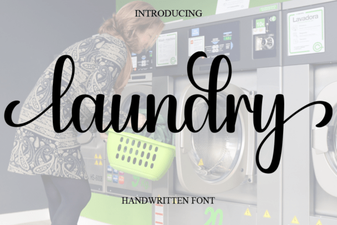 Laundry Font: Creative Design Ideas for Clean Typography