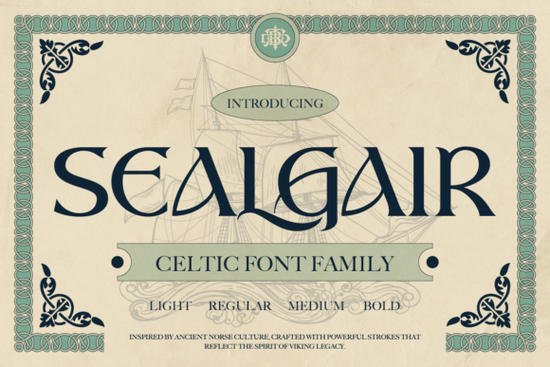
If you're looking for a typeface that carries the weight of ancient stories without sacrificing modern usability, Sealgair Font fits naturally into your design toolkit. It’s not just another decorative font it’s a thoughtfully crafted Celtic-inspired family with roots in Norse and Gaelic visual language, yet built for real-world use: logos, book covers, game assets, or even tattoo sketches. Unlike overly ornate scripts that blur at small sizes, Sealgair balances historical character with clean letterforms and consistent spacing so it works whether you’re designing a Shopify banner or a hand-printed poster.
What makes Sealgair different from other Celtic fonts?
Most fonts labeled “Celtic” lean heavily into knotwork or runic mimicry beautiful, but often hard to read or integrate into balanced layouts. Sealgair avoids that trap. Its curves are intentional, its sharp terminals purposeful, and its rhythm stays legible across weights. You’ll notice subtle nods to medieval inscriptions not through literal replication, but through proportion, contrast, and flow. That’s why designers working on fantasy-themed branding or historical packaging reach for it first.
It also includes practical features many niche fonts skip: full lowercase support, multilingual characters (including accented letters used across Western European languages), ligatures for smoother word shapes, and stylistic alternates that let you fine-tune tone say, swapping a bold “S” for something more angular when building a logo mark. And with four distinct weights Light, Regular, Medium, Bold you can establish clear hierarchy without switching type families.
Where do people actually use Sealgair?
Real users tell us it shines in contexts where authenticity matters, but clarity can’t be compromised:
- Book covers for historical fiction or myth-inspired YA novels especially when paired with textured backgrounds or parchment overlays.
- Game UI elements, like faction names or quest titles in indie RPGs, where atmosphere supports immersion without confusing players.
- Small business branding for craft breweries, artisanal candle makers, or apothecaries leaning into earthy, ancestral themes.
- Print-on-demand merchandise, including mugs, tote bags, and wall art thanks to its strong outlines and generous x-height.
- Tattoo design sketches, where clients want symbolic weight but need clean lines for linework or shading.
Because it’s designed for both display and functional use, Sealgair pairs well with neutral sans-serifs (like Dingen Font) for body text or headings, or with delicate script fonts like Enjoy Font for contrast in editorial layouts. If you prefer softer, romantic pairings, Beautiful Dainty Romance Font offers a gentle counterpoint for wedding invites or poetry chapbooks.
How does it compare to similar display fonts?
Unlike limited-edition fonts that prioritize novelty over versatility, Sealgair is built for repeat use. It doesn’t rely on one-off flourishes or time-sensitive trends. That’s why it sits comfortably alongside curated collections like limited-edition font display fonts not as a flash-in-the-pan option, but as a reliable anchor. And while fonts like Dingen Font excel in geometric precision, Sealgair brings warmth and narrative texture. Similarly, Enjoy Font leans playful and breezy, whereas Sealgair holds space for gravity and legacy.
You’ll find it especially helpful if you’ve tried other Celtic-style fonts and hit roadblocks like missing punctuation, inconsistent spacing, or no lowercase support. Sealgair includes all standard punctuation, numerals, and full A–Z sets in both cases, so you won’t need workarounds for basic copy.
Getting started with Sealgair
Download comes as four cleanly named OTF files no installers or complex activation. Works in Adobe apps, Affinity Suite, Cricut Design Space, Silhouette Studio, and most web-based editors. No licensing surprises: personal and commercial use included, with no attribution required.
If you’re exploring related options, check out Sealgair Font display fonts for usage tips, pairing ideas, and free mockup templates. You’ll also find community examples showing how others adapt it for packaging labels, vinyl decals, or even embroidery digitizing (using the Bold weight for stitch-friendly outlines).
Before you download:
- Test the Regular weight at 24pt+ for headlines, and Bold for logos or posters.
- Try turning on OpenType features (in Illustrator or Affinity) to access ligatures and alternates especially useful for words like “Celtic,” “Norse,” or “legend.”
- For print projects, preview at 100% zoom to confirm spacing feels even some glyphs (like “fj” or “st”) benefit from manual kerning in tight settings.
- Remember: it’s a display font first. Avoid using Light or Regular below 16pt in body text even though it’s readable, other fonts will serve better there.
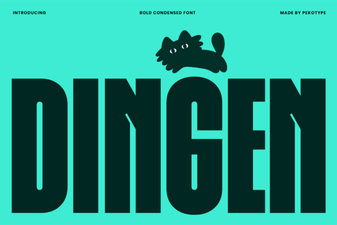 Dingen Font: Creative & Versatile Design Tool
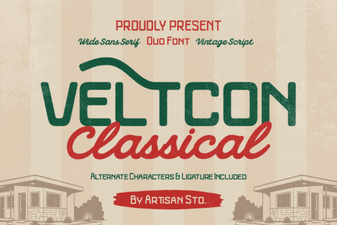 Veltcon Font: Bold & Versatile Design Inspiration
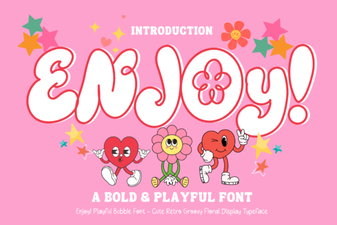 Enjoy Font: Creative Typography for Design Projects
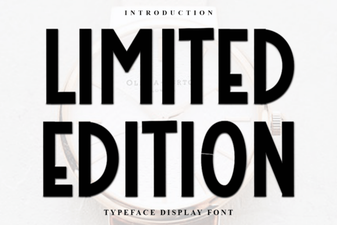 Limited Edition Fonts for Creative Design Projects
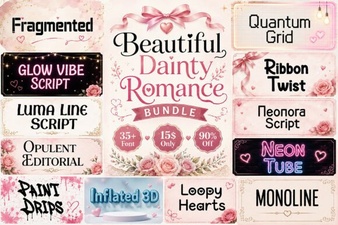 Dainty Romance Font for Elegant Design Projects
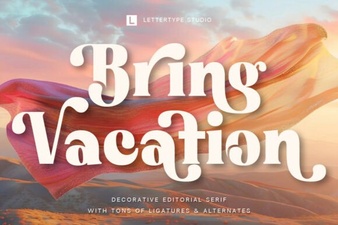 Bring Vacation Font: Creative Design Ideas